
HTTP on the Wire
See the raw HTTP text your browser sends, and learn how that text becomes a structured request inside your app.


What the Client Actually Sends
Ever happen to build a FastAPI application and serve it using Uvicorn. Before Uvicorn or FastAPI ever see a request, what actually travels across the wire are raw bytes: either unencrypted (plain HTTP) or encrypted via SSL/TLS (HTTPS). If you want to really understand what your app is handling, it helps to peek under the hood and look at those raw requests.
In this post we’ll look at:
- What a raw HTTP request and response look like.
- The structure of request line, headers, body.
- Why the body is arbitrary bytes.
- How
Content-Typeguides interpretation.
By the end, you’ll be able to recognize the anatomy of any HTTP message and even try generating some yourself with curl.
Anatomy of an HTTP request
Every HTTP request has three sections:
- Request line - method, path, and version
- Headers - key-value pairs, one per line
- Body - optional, can contain text or binary
Here’s a simple GET request as it appears on the wire:
GET /hello HTTP/1.1
Host: example.com
User-Agent: curl/8.1.2
Accept: */*
Notice the blank line at the end - it marks the end of headers.
Example: POST with JSON body
A request with a body includes a Content-Type header so the server knows how to interpret the bytes.
POST /api/data HTTP/1.1
Host: example.com
Content-Type: application/json
Content-Length: 18

{"name": "Alice"}
The body here is JSON text, but to HTTP it’s just bytes.
Try it yourself:
curl -v -X POST https://example.com/api/data \
  -H "Content-Type: application/json" \
  -d '{"name": "Alice"}'
Example: multipart file upload
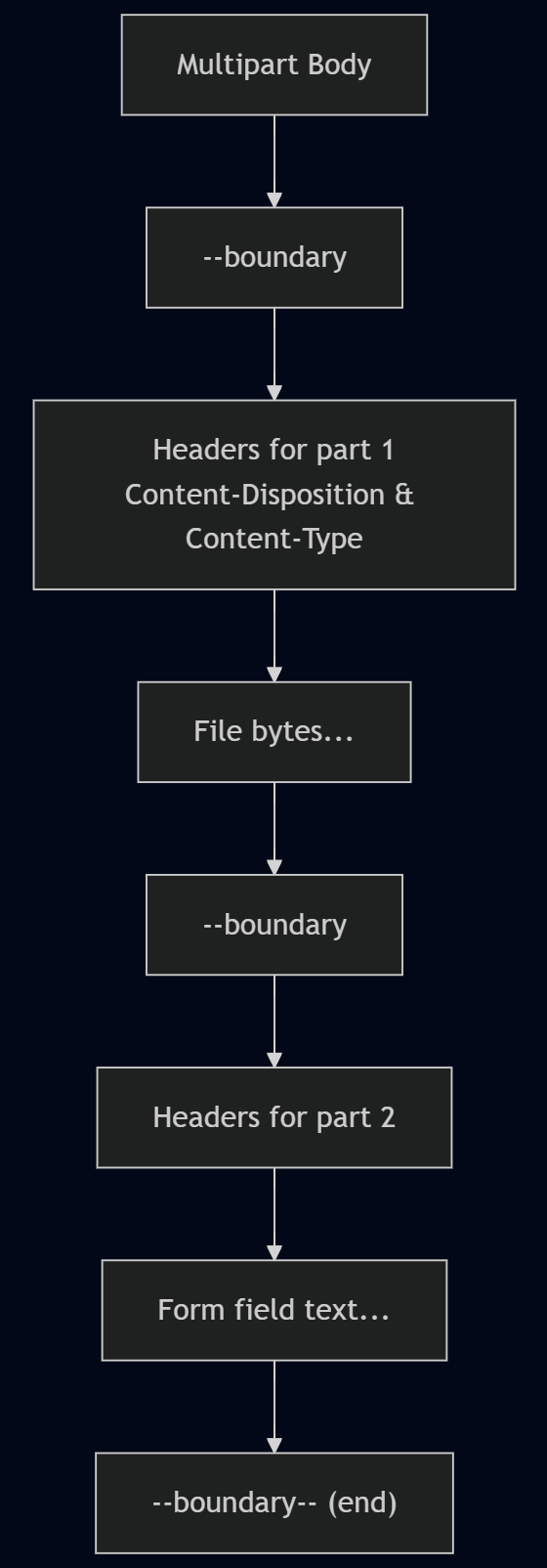
File uploads use multipart/form-data. This format introduces boundaries that separate different parts of the body.
POST /upload HTTP/1.1
Host: example.com
Content-Type: multipart/form-data; boundary=----12345

------12345
Content-Disposition: form-data; name="file"; filename="hello.txt"
Content-Type: text/plain

Hello world!
------12345--
Key points:
- Each part starts with
--boundary. - Each part has its own headers.
- File bytes appear after the headers.
Try with curl:
curl -v -F "file=@hello.txt" https://example.com/upload
Why Content-Type matters
The server does not guess the format of the body. Instead:
application/json→ parse body as JSON text.multipart/form-data→ parse into parts.application/octet-stream→ treat as raw binary.
Without this header, the server may misinterpret the body or reject the request.
Conclusion
At the raw level, HTTP is just structured text plus bytes. Understanding this helps demystify what Uvicorn later parses into ASGI scopes.
In the next post, we’ll see how those raw bytes enter Uvicorn through the socket and emerge as structured data for your app.