
ASGI in Practice
Understand how ASGI apps use scope, receive, and send to handle streaming requests and responses in FastAPI and Starlette. Keywords: ASGI events, uvicorn, FastAPI internals, http.response.body, backend basics


Events, Streaming and Request Body Flow
So far, we’ve seen what the client actually sends and how Uvicorn parses that into a scope. But the real interaction with your app happens through events sent via two async channels:
receive- delivers request body pieces and WebSocket messages.send- lets your app send responses back to Uvicorn.
This post shows the common ASGI event shapes, how streaming works, and why more_body exists.
The three pieces of the ASGI call
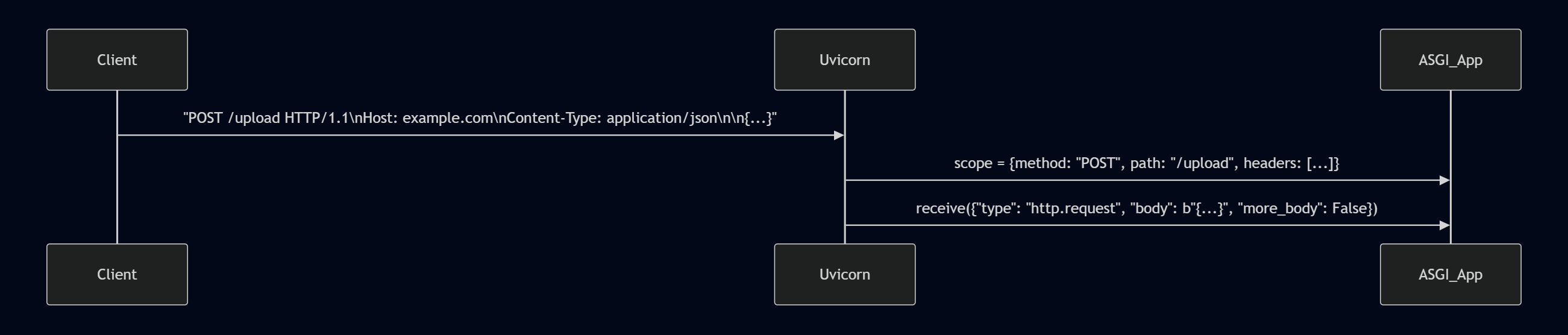
Every ASGI app is called like this:
async def app(scope, receive, send):
    ...
- scope - static info about the request (method, path, headers).
- receive - async function your app awaits to get events.
- send - async function your app calls to push events back.
Example: request body flow
When a client sends a POST request with a JSON body, Uvicorn delivers it as one or more events through receive.
# Example receive event
{
  "type": "http.request",
  "body": b'{"name": "Alice"}',
  "more_body": False
}
If the body is large, Uvicorn may send multiple chunks:
{"type": "http.request", "body": b'{"name": "', "more_body": True}
{"type": "http.request", "body": b'Alice"}', "more_body": False}
Example: sending a response
Your app responds with two events:
await send({
  "type": "http.response.start",
  "status": 200,
  "headers": [(b"content-type", b"text/plain")],
})
await send({
  "type": "http.response.body",
  "body": b"Hello client",
  "more_body": False
})
Putting it together
Here’s a minimal ASGI app that reads body chunks and echoes them back:
async def app(scope, receive, send):
    if scope["type"] == "http":
        body = b""
        while True:
            event = await receive()
            body += event.get("body", b"")
            if not event.get("more_body", False):
                break

        await send({
            "type": "http.response.start",
            "status": 200,
            "headers": [(b"content-type", b"text/plain")],
        })
        await send({
            "type": "http.response.body",
            "body": body,
        })
This app streams the body in, then sends it right back.
Why more_body exists
- For small requests, the body arrives in a single event (
more_body: False). - For large uploads, Uvicorn splits the body into multiple chunks. Your app can handle them one at a time without loading everything into memory.
Similarly, responses can be streamed by sending multiple http.response.body events with more_body=True.
| Event type | Purpose | Example |
|---|---|---|
http.request | Request body chunk | {"body": b"...", "more_body": False} |
http.response.start | Begin response | {"status":200} |
http.response.body | Response body chunk | {"body": b"Hi"} |
ASGI’s event-driven model lets servers and apps handle streaming bodies efficiently. By understanding scope, receive, send, and more_body, you’re ready to reason about uploads, downloads, and even advanced patterns like server-sent events.
Next time we will look at streaming examples: Server-Sent Events (SSE) and WebSockets, comparing their wire formats and ASGI flows.